


Virtual tours & digital twinsWalk the building without going there.
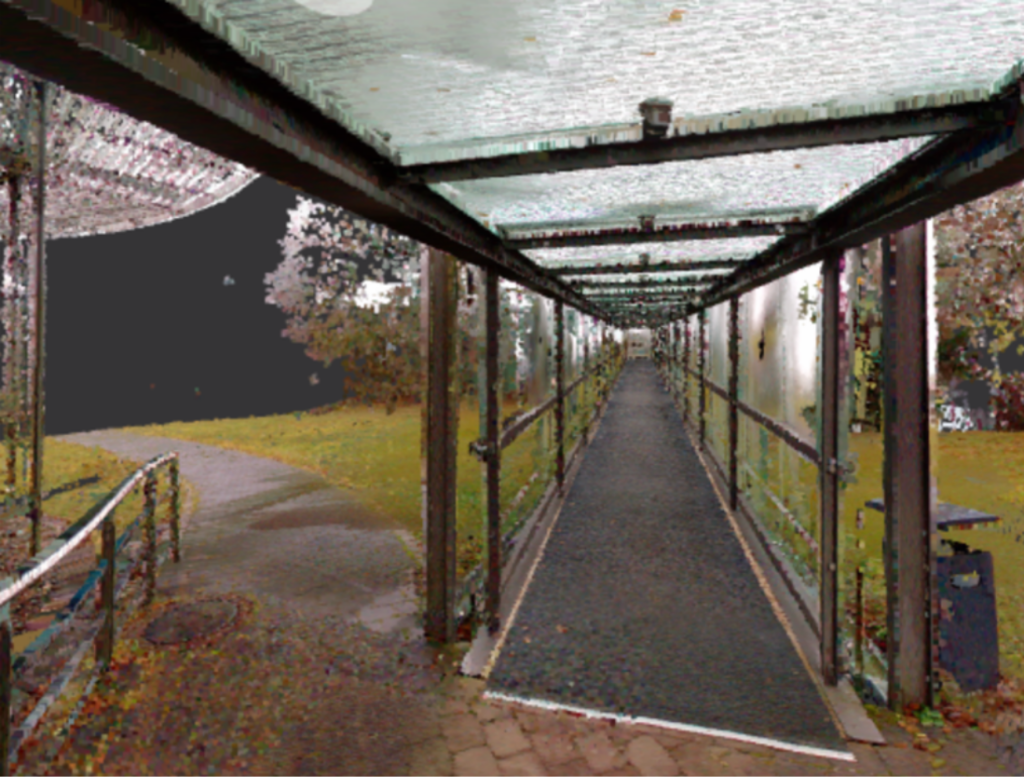
A navigable record of the site as it stood on the day of capture. Useful for everyone who needs to see the building and cannot — and produced from the same survey that produced the drawings, so the two never disagree.
What it is good for
- Distributed teams. A consultant in another state looks at the riser instead of asking somebody to go and photograph it.
- Condition record. A dated, navigable record before work begins — which settles a surprising number of later arguments about what was already damaged.
- Handover and operation. Facility teams inheriting a building they had no part in constructing.
- Leasing and marketing. The obvious use, and the least interesting one.
When “digital twin” is more than a word
A walkthrough becomes a digital twin when data is attached to what you are looking at: asset tags, maintenance records, room attributes, links into the FM system. Without that it is a very good photograph.
Which is often exactly what is needed — but it is worth being clear which of the two you are buying, because the price difference is substantial and the word gets used for both. Both rates are on the pricing page.
Not a substitute for a survey
You can measure inside a tour and the numbers will look plausible. They are not survey tolerances. Anything that will be built against comes from the point cloud — which is why we deliver both from one capture instead of asking you to choose.
What is in a tour, and what is not
| Capability | What it does | Limit |
|---|---|---|
| Navigation | Move between capture positions and look around, in a browser, without an app. | You see the building as it stood on the capture date. Nothing updates itself. |
| Measurement | Approximate distances inside the tour, enough to answer whether something fits. | Not survey tolerance. Anything built against comes from the point cloud. |
| Points of interest | Tags on equipment, documents and links, placed where the thing actually is. | Tags carry what you give us. Populating them from an asset register is scoped separately. |
| Access control | Who can open the tour, per link or per user. | For secure sites we hand over files for self-hosting instead of hosting at all. |
| Blurring | Faces, screens, name plates and anything else that should not be in a shared record. | Applied at production. Tell us the rule before capture rather than after publication. |
Tour, or digital twin
The two words get used for the same thing, and the price difference is substantial, so it is worth separating them plainly.
A tour is a navigable record: capture positions, panoramas, a floor plan to orient by. It answers what a space looks like and roughly how big it is. It is produced from the same survey that produced the drawings, which is why the two never disagree about the date.
A digital twin is that record with data attached to what you are looking at: asset tags, maintenance history, room attributes, links into the system that runs the building. Without the attached data it is a very good photograph. With it, it is a front end onto facility management data, and it costs accordingly.
Most clients need the first and think they need the second. We say which one the brief actually describes before quoting either.

Who ends up using it
Distributed project teams
A consultant three states away looks at the riser instead of asking somebody on site to go and photograph it. On projects with several trades this replaces a steady stream of small requests, each of which used to cost somebody half a day.
Facility and operations teams
People inheriting a building they had no part in constructing. A tour captured at handover is the reference for where things are, and it is considerably cheaper to produce at handover than to recreate three years later.
Insurance and claims
A dated, navigable record of condition before work starts settles arguments about what was already damaged. Clients commissioning adjacent construction ask for this more often than for anything else on this page.
Leasing and marketing
The obvious use and the least interesting one. Worth saying: if this is the only requirement, the survey behind it is probably more than the job needs.
What goes wrong in a tour
- Measuring in it and believing the number. Tour measurements are approximate. Over a long span the error is visible; over a stair it is expensive. The point cloud is the source for anything dimensional.
- Glass and mirrors. Both confuse the capture and both are everywhere in a fit-out. Reflective areas are captured from more than one position rather than accepted as they fall.
- People and screens. Faces, monitors and paperwork end up in a record that gets shared widely. The blurring rule belongs in the brief.
- A space that has since changed. A tour is a date, not a live view. Re-capturing changed areas is straightforward, and keeping both versions is usually more useful than replacing one with the other.
- Treating it as a substitute for a survey. It is not, and a Matterport is not either. Both are records of appearance rather than measurements of geometry.
When a tour is not the right purchase
- Something will be built against it: 3D laser scanning, with the tour as an extra rather than the deliverable.
- You need structured space and asset records: facility management data.
- You need drawings your team can work in: as-built drawings.
- The building is secure and nothing may be hosted externally: we still deliver, as files you host yourself.
Frequently asked questions
Can we measure in the tour?
Approximately. For anything that will be built against, use the point cloud — that is what it is for, and you receive it either way.
Does it work on mobile?
Yes, in a browser, without an app. That matters more than it sounds — most of the people who open a tour do it once, from a phone, in a meeting.
Is this the same as Matterport?
Similar experience, different origin. Ours is produced from the laser survey rather than from a separate camera pass, so the walkthrough and the as-built drawings describe the same captured reality on the same date. With Matterport they are two different visits.
How long does it stay online?
As long as you want. It can also be handed over for self-hosting, which some clients require for secure facilities — there is no requirement to keep paying us to look at your own building.
Can we update it later?
Yes. Re-capturing changed areas and republishing is straightforward, and having two dated versions is frequently more useful than only having the current one.
Can we control who sees it?
Access control comes as standard. For sensitive facilities we hand over the files rather than hosting them at all.
Want to see one?
We can show you a tour of a comparable building before you commit to anything.